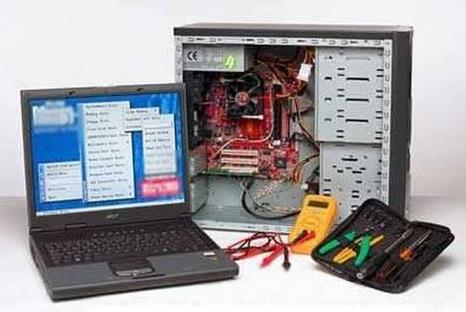
PC Buyer Beware! is a comprehensive PC/computer guide with computer problems and solutions covering desktop, laptop/notebook and tablet PCs.
Information is available on this website of the kind required to enable computer users to solve hardware and software computer problems, buy, build, upgrade, network, use broadband Internet, recover, repair and protect their computers successfully.
Computer problems – Hardware and software problems
Hardware and software computer problems are solved in articles and questions and solutions, grouped in categories, the parent category of which is on the main menu at the top of each page – PC Problems & Solutions.
The quickest way to find the solutions to particular computer problems is to enter a short and accurate description of the problem in the Search box at the top right-hand corner of every page of this site. A list of site pages and blog posts containing your keywords is presented.
Examples of general searches for computer problems are internet problems, hard disk drive problems, laptop problems, networking problems, etc. The more refined a search is, the more likely it is to deliver a solution to a problem. Examples of more specific searches are no Wi-Fi connection to router, pc crashes, pc freezes, computer reboots, blue screen of death, Windows Update runs endlessly, etc., all of them very common problems.
Hardware components and peripherals
All of the major internal PC/computer components, such as hard disk and SSD drives, graphics cards, processors, motherboards, sound cards, RAM memory, etc., and the external peripheral components, such as monitors, networking equipment, keyboard & mice and printers, have their own section devoted to them under Hardware on the menu at the top of each page.
There are so many categories of hardware that they can’t all be shown on a single screen in the drop-down menu, so, please scroll down to see all of them. Separate sections are devoted to topics such as software, Windows 10 / 8.1 / 7 / XP, and PC security.
The Build Your Own PC section provides information on the installation of computer hardware (motherboard, processor, graphics card, hard disk or SSD drive, etc.) and the installation of Windows.
For upgrade information visit the Upgrade PC/Computer Hardware, Windows & Software section of this website.
Software
The Software menu item at the top of each page is broken down into the following categories: General Software Information, Backups, Systems Images and Cloud Storage, The UEFI and Standard System BIOS, Product Activation and The Device Manager.
DISCLAIMER
While every effort has been taken to ensure the accuracy of the information on this website, the author assumes no responsibility for errors or omissions, or for damages resulting from the use of the information herein. All information herein is offered as-is and without warranty of any kind.